What Windows 10 EOS Means for SMBs & Financial Institutions
All-in-One PCs ,
Desktops
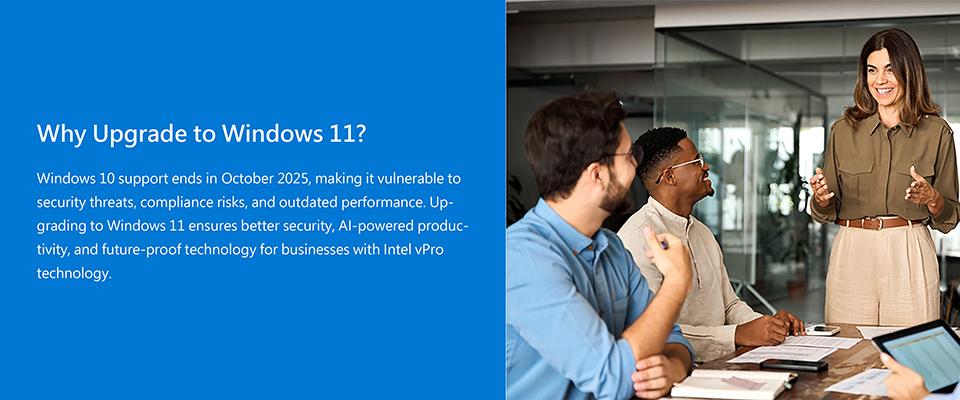
Windows 10 will reach End of Support (EOS) on October 14, 2025. After this date, Microsoft will no longer provide security updates, bug fixes, or technical support. Continuing to use Windows 10 beyond this point exposes businesses, particularly small and medium-sized businesses (SMBs) and financial institutions, to heightened risks, including security vulnerabilities, compliance violations, and cyber threats. These organizations often depend on legacy systems, manage sensitive data, and operate under strict regulatory requirements, making timely upgrades critical.
What Changes After Windows 10 EOS?
Although Windows 10 will continue to function on existing devices after EOS, several important changes will impact system security, compatibility, and compliance.
- End of Free Security Updates
Microsoft will cease providing free monthly security updates and bug fixes. This leaves systems increasingly vulnerable to malware, ransomware, and other cyber threats. While a paid Extended Security Updates (ESU) program may be available for select users, it adds operational costs and is only a temporary solution. - No New Features or Technical Support
Windows 10 will no longer receive feature enhancements or performance updates, and official technical support from Microsoft will be discontinued, which may pose challenges for IT teams maintaining legacy systems. - Growing Software Compatibility Issues
As software vendors shift focus to newer platforms, third-party applications and even Microsoft services may gradually phase out support for Windows 10, leading to integration and usability issues. - Increased Compliance Risks
For businesses in regulated industries, especially financial institutions, running unsupported software can lead to non-compliance with standards such as GDPR, HIPAA, or PCI-DSS, potentially exposing the organization to audits, fines, and reputational damage.
Why Upgrade to Windows 11?
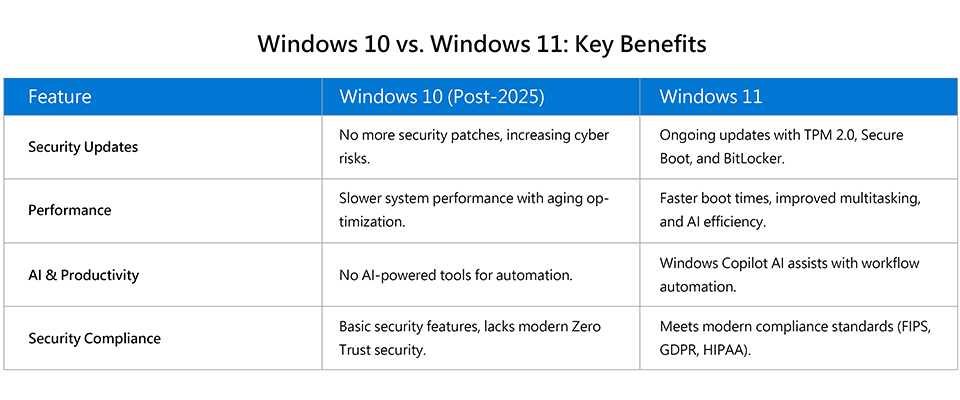
Upgrading to Windows 11 brings a wide range of enhancements designed to boost productivity, strengthen security, and improve the overall user experience, which is especially critical for SMBs and financial institutions.
- Advanced Security
Windows 11 is built with advanced hardware-based security features such as Secure Boot, Windows Hello for biometric authentication, Trusted Platform Module (TPM), and Virtualization-Based Security (VBS). These features provide robust protection against evolving cyber threats, helping safeguard sensitive business and financial data. - Optimized Performance
With faster boot times, efficient memory usage, and improved multitasking, Windows 11 ensures smoother day-to-day operations, which is critical for organizations managing high workloads and time-sensitive transactions. - AI & Productivity
Integrated AI capabilities such as Microsoft Copilot and AI-enhanced Windows Search support smarter workflows and faster content discovery. Additional features like Snap Layouts and Virtual Desktops enable more efficient task management, ideal for multitasking teams and busy departments. - Compliance-Ready Infrastructure
Windows 11 supports modern compliance frameworks including FIPS, GDPR, and HIPAA. Its built-in security features help organizations maintain regulatory compliance with reduced overhead, supporting audit-readiness and risk mitigation.
Beyond these core advantages, Windows 11 also features a modernized user interface and refined touch support, offering a more intuitive user experience. Ongoing updates ensure compatibility with new hardware and software, making it a reliable and future-ready platform for business continuity.
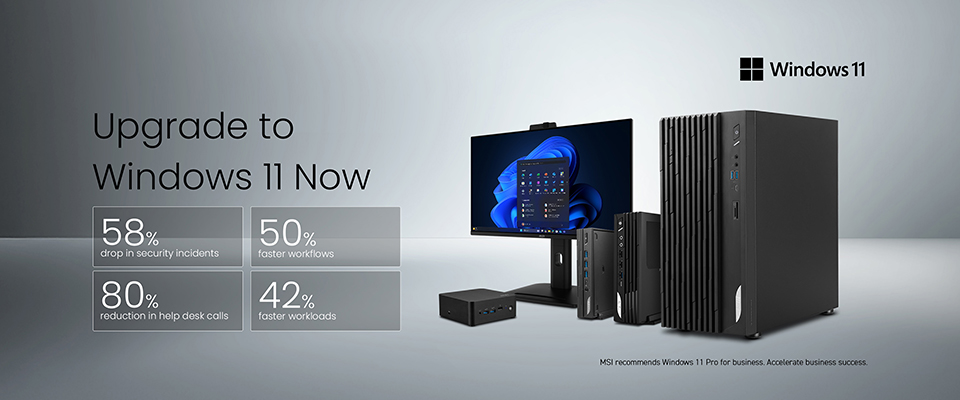
Learn more on MSI’s official Windows 11 upgrade page:
https://www.msi.com/Landing/windows-11-upgrade
https://www.msi.com/Landing/windows-11-upgrade
MSI Desktops: Solutions for SMBs and Financial Institutions
The business and finance landscape is evolving rapidly, with technology playing a crucial role in streamlining operations, enhancing security, and supporting compliance efforts. With Windows 10 reaching End of Support (EOS) in October 2025, transitioning to Windows 11 is essential for maintaining a secure and reliable IT environment.
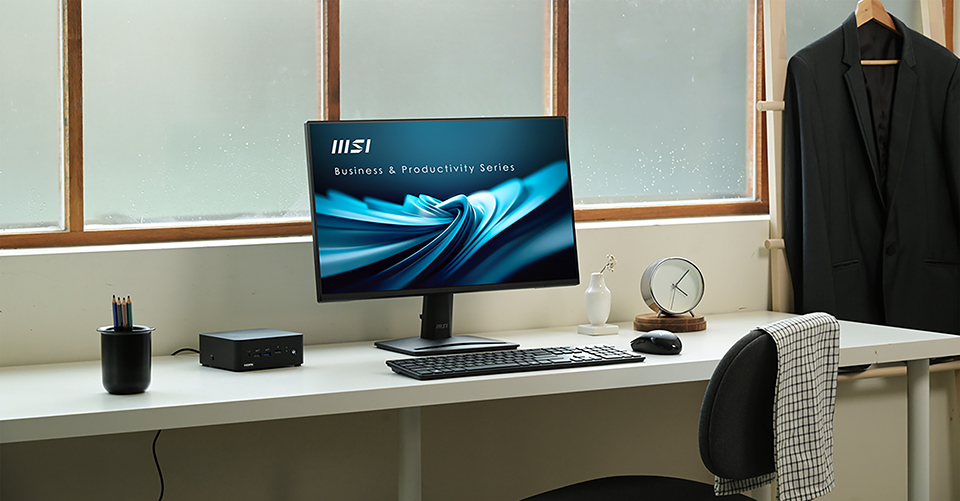
Upgrading to secure and future-ready devices such as MSI’s Cubi NUC series, PRO series desktops, and All-in-One PCs can help ensure system stability, strengthen security, and support continued compliance with evolving industry standards.
Upgrading to secure and future-ready devices such as MSI’s Cubi NUC series, PRO series desktops, and All-in-One PCs can help ensure system stability, strengthen security, and support continued compliance with evolving industry standards.
Visit the following links for more information on MSI mini PCs and desktops:
Cubi Series:
https://www.msi.com/Business-Productivity-PCs/Products#?tag=Cubi-Series
PRO Series:
https://www.msi.com/Business-Productivity-PCs/Products#?tag=PRO-Series
All-in-One PCs:
https://www.msi.com/All-in-One-PCs
Cubi Series:
https://www.msi.com/Business-Productivity-PCs/Products#?tag=Cubi-Series
PRO Series:
https://www.msi.com/Business-Productivity-PCs/Products#?tag=PRO-Series
All-in-One PCs:
https://www.msi.com/All-in-One-PCs